
Oct 12, 2026Packaging Knowledge
Crop Marks vs. Registration Marks: What Packaging Buyers Should Know
Learn the difference between crop marks and registration marks in packaging printing, how they affect print accuracy, and what buyers should check before production.
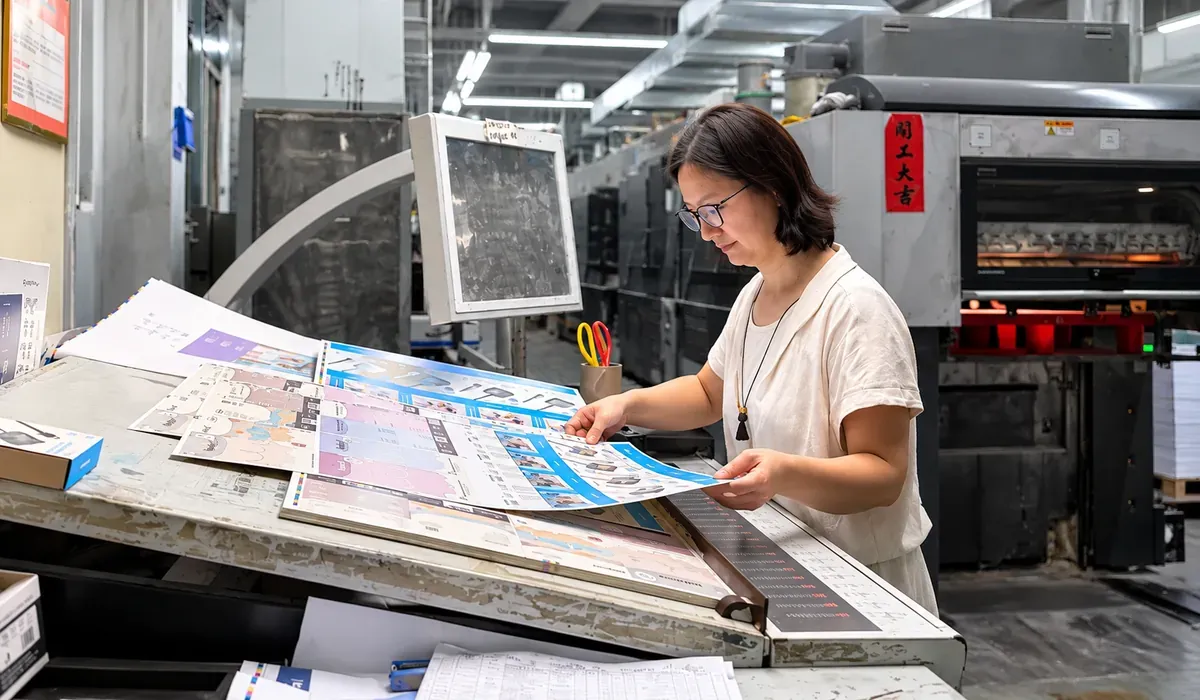
Why Do Printing Marks Matter in Custom Packaging?
A packaging design may look perfect on screen.
The colors are correct. The logo is in the right position. The box dimensions have been confirmed.
But when production begins, problems can still appear.
A printed logo may not align correctly. A design may be cut too close to the edge. Small white gaps may appear where the background color should extend to the finished edge.
These problems are not always caused by the printing machine.
Sometimes, they begin with how the artwork was prepared.
Crop marks, registration marks, bleed and dielines all play important roles in preparing artwork for printing and finishing.
Understanding these elements can help packaging buyers communicate more clearly with manufacturers and reduce avoidable production problems.
What Are Crop Marks in Printing?
Crop marks, also called trim marks, indicate where a printed sheet should be cut to achieve the intended finished size.
They are usually placed outside the finished artwork area.
For example, imagine a printed paper card with a finished size of 100 × 150 mm.
The artwork may extend beyond those dimensions to include bleed, while crop marks indicate the intended trimming boundaries.
Crop marks help identify the finished size during cutting and finishing.
However, they do not guarantee perfect cutting accuracy by themselves.
The final result also depends on the cutting equipment, sheet positioning, material and production tolerances.
Are Crop Marks the Same as a Packaging Dieline?
No.
This is an important distinction for custom packaging.
Crop marks are commonly used for rectangular printed materials such as cards, brochures and printed sheets.
A packaging dieline defines the structural layout of a box, bag or other die-cut product.
Depending on the packaging structure, a dieline may include:
- Cutting lines
- Creasing or folding lines
- Glue areas
- Perforation lines
- Window openings
- Structural panels and flaps
For custom folding cartons, the approved dieline is generally more important than ordinary crop marks for defining the finished structure.
A packaging manufacturer normally prepares the production layout according to the approved dieline and the actual printing and die-cutting process.
The dieline also needs to match the carton structure, paperboard and intended packing method.
What Are Registration Marks in Printing?
Registration marks help printing operators check whether different printing colors are aligned correctly.
In conventional multicolor offset printing, an image may be produced using separate printing plates for cyan, magenta, yellow and black.
Each color must be printed in the correct position relative to the others.
If the plates are not properly aligned, the printed image may show unwanted colored edges, blurred details or other registration problems.
Registration marks provide reference points for checking this alignment.
They are usually positioned outside the finished product area.
Why Are Registration Marks Important for Packaging?
Consider a folding carton with small printed text, a detailed logo and several colors.
If the colors are not accurately registered, fine details may become less sharp.
This can be particularly noticeable on:
- Small text
- Thin lines
- Detailed illustrations
- Multicolor logos
- High-contrast printed elements
Registration accuracy is one of several factors that influence the final appearance of printed packaging.
Other factors include paperboard characteristics, printing conditions, artwork preparation and finishing processes.
Crop Marks vs. Registration Marks: What's the Difference?
Although both are used during printing preparation, they serve different purposes.
Feature | Crop Marks | Registration Marks |
|---|---|---|
Main purpose | Indicate trimming boundaries | Help check color alignment |
Typical appearance | Short lines near the corners of the artwork | Crosshair or target-style marks |
Main application | Cutting and trimming | Multicolor printing registration |
Location | Outside the finished artwork | Outside the finished artwork |
Common use | Cards, brochures and printed sheets | Offset and other multicolor printing processes |
Packaging consideration | May assist with printed components | Helps control alignment between printed colors |
Crop marks are mainly related to where the printed material will be trimmed.
Registration marks are related to how accurately the printing colors align.
Neither should be confused with the structural cutting and creasing lines used in a packaging dieline.
What Is Bleed, and Why Is It Important?
Bleed is the additional artwork area that extends beyond the intended finished edge.
It helps prevent unwanted white edges when printed materials are trimmed.
For example, if a paper card has a full-color background, the background should extend beyond the final cutting boundary.
Without sufficient bleed, small cutting variations may expose unprinted paper along the edge.
How Much Bleed Does Packaging Artwork Need?
A 3 mm bleed is common in many commercial printing applications.
However, this should not be treated as a universal requirement for every packaging project.
The appropriate bleed depends on factors such as:
- Packaging structure
- Material
- Printing method
- Die-cutting requirements
- Artwork layout
- Manufacturer specifications
For custom folding cartons, mailer boxes and other die-cut packaging, buyers should follow the artwork specifications provided by their packaging manufacturer.
What Is the Difference Between Bleed and Safe Area?
Bleed extends artwork beyond the finished edge.
The safe area keeps important content away from cutting or folding boundaries.
Logos, text, QR codes and other essential information should generally remain within the recommended safe area.
The required clearance depends on the packaging design and production process.
For example, placing small text too close to a folding carton crease may make it difficult to read after assembly.
Similarly, a QR code positioned too close to a cutting edge may be partially removed during finishing.
Both bleed and safe-area planning are important parts of packaging artwork preparation.
What Are Color Control Bars in Printing?
In addition to crop marks and registration marks, printing layouts may include color control bars.
These are printed reference patches used to monitor printing conditions.
Depending on the printing process and quality-control system, they may contain:
- Solid ink patches
- Halftone patches
- Gray-balance patches
- Overprint patches
- Other measurement elements
Printing operators may use measuring instruments to evaluate selected print characteristics and monitor consistency during production.
Do Packaging Buyers Need to Add Color Control Bars?
Usually, no.
For most custom packaging projects, buyers do not need to manually create color control bars in their artwork.
These elements are generally handled by the printing supplier during prepress preparation or production imposition.
The specific control elements depend on the printing equipment, workflow and quality requirements.
For buyers, it is more useful to provide accurate artwork and clearly communicate important color expectations.
If a brand requires a specific Pantone color or close matching to an approved physical sample, this should be discussed before production.
Color control bars can support process monitoring, but they do not automatically guarantee an exact visual match to every approved sample.
For a closer look at how paper, ink and finishing influence printed colors, read our article on why packaging colors look different from approved artwork.
Why Can Packaging Still Have Printing or Cutting Problems?
Even when the artwork includes the correct printing marks, production problems can still occur.
Printing marks are useful references, but they are only one part of the complete manufacturing process.
1. Incorrect Artwork Dimensions
If the artwork dimensions do not match the approved packaging structure, printed elements may appear in the wrong positions after cutting and folding.
This is particularly important for folding cartons with multiple panels.
2. Insufficient Bleed
Background colors or images that stop exactly at the cutting boundary may leave visible white edges after trimming.
3. Poor Registration
Misalignment between printing colors can affect fine text, logos and detailed graphics.
4. Incorrect Dieline Placement
If the artwork is not aligned with the approved dieline, logos, text or decorative elements may cross unintended cutting or folding areas.
5. Material and Finishing Considerations
Paperboard thickness, surface characteristics, coating and finishing requirements can influence the final production result.
For example, a design that works well on a flat printed sheet may require adjustments when applied to a folding carton with multiple creases.
This is why packaging artwork should be reviewed together with the intended structure and manufacturing process.
Material selection should also be considered early in the project. Our packaging material selection guide explains why the appearance of a material is only one part of choosing a suitable packaging solution.
What Should Packaging Buyers Check Before Sending Artwork?
You do not need to be a printing technician to prepare a good packaging project.
However, confirming a few important details can help avoid unnecessary revisions.
Packaging Artwork Checklist
1. Confirm the approved dieline
Make sure the artwork uses the correct structural template supplied or approved by the packaging manufacturer.
2. Check the finished dimensions
Verify that the box, bag or printed component matches the required size.
3. Include the required bleed
Extend backgrounds and images according to the manufacturer's artwork specifications.
4. Keep important content within the safe area
Check the position of logos, text, barcodes and QR codes.
5. Confirm the printing colors
Clarify whether the artwork uses CMYK, Pantone spot colors or a combination of printing methods.
6. Review special finishing areas
If the packaging includes foil stamping, embossing, debossing or spot UV, make sure the relevant artwork and positioning requirements are clear.
7. Use an appropriate file format
Vector artwork or print-ready PDF files are commonly preferred, depending on the project.
8. Ask for a prepress review
Before mass production, confirm that the artwork, dieline and finishing requirements have been reviewed.
For complex packaging structures or critical color requirements, a physical sample or appropriate production proof may also be necessary.
When evaluating a physical sample, buyers should review more than the printed appearance. Our folding carton sample approval checklist covers structure, product fit, printing, finishing and assembly before bulk production.
Who Should Add Crop Marks and Registration Marks?
This is a common question when preparing custom packaging artwork.
In many professional printing workflows, crop marks, registration marks and color control elements are generated during prepress or imposition.
They do not always need to be included manually in the customer's original design file.
For custom packaging, buyers should normally focus on providing:
- Correct artwork dimensions
- The approved dieline
- Required bleed
- Accurate color specifications
- Clearly identified finishing areas
- Editable or print-ready files as requested
The packaging manufacturer can then prepare the production layout according to the actual equipment and manufacturing requirements.
Adding unnecessary marks manually may create confusion if they do not match the production layout.
When in doubt, ask the manufacturer which elements should be included in the submitted artwork.
FAQ
Are crop marks required for custom folding cartons?
Not always in the customer-supplied artwork.
Custom folding cartons are generally produced according to an approved structural dieline. The printing supplier may generate additional marks during prepress preparation.
What happens if registration marks are incorrect?
Incorrect or poorly positioned registration marks can interfere with the intended registration-checking process.
However, registration accuracy also depends on the printing equipment, setup and operating conditions.
Is 3 mm bleed enough for packaging printing?
A 3 mm bleed is common in commercial printing, but packaging requirements vary.
Always confirm the appropriate bleed with your packaging manufacturer.
Should I add printing marks in Adobe Illustrator?
Not necessarily.
For custom packaging projects, it is usually better to follow the manufacturer's artwork preparation instructions rather than adding marks without confirming their requirements.
Can crop marks prevent cutting mistakes?
Crop marks help indicate trimming boundaries, but they cannot eliminate cutting variations or equipment-related errors.
Accurate production also requires suitable equipment setup, correct dimensions and appropriate quality checks.
Are registration marks and color control bars the same thing?
No.
Registration marks help check alignment between printed colors.
Color control bars contain measurement patches used to monitor selected printing characteristics.
Both may be used during production, but they serve different purposes.
Final Thoughts
Crop marks, registration marks and color control bars may look like small details, but they play different roles in printing preparation and quality control.
For packaging buyers, the most important point is not learning how to create every technical mark.
It is understanding what information the manufacturer needs to prepare the artwork correctly.
Accurate dimensions, an approved dieline, sufficient bleed and clearly defined printing requirements provide a better starting point for production.
At Jeeli Packaging, we review artwork, structural layouts and printing requirements as part of custom paper packaging development.
If you're preparing artwork for custom folding cartons, paper bags, mailer boxes or hang tags, share your design files and packaging specifications with us.
We can help review the production requirements before sampling or bulk manufacturing.